

Backstory
So I started a fresh new job, immediately I assumed Zabbix and started to review, implement, complement and all sorts of changes and development that comes with a new environment that is awaiting to be developed almost as a green field.
My colleagues, specially Felix at tha time, and later Dik and Ramon, were keen on Oracle databases and had made strides on Oracle monitoring with a tool called Orabbix. As the name already indicates, it merges Oracle with Zabbix , as a technically "complete" tool. (not as much though)
PerOBbix — How I Replaced a Java Oracle Monitor with 400 Lines of Perl
Back in 2011, we were running Orabbix or Orabbix in github to monitor a fleet of Oracle databases through Zabbix. It worked — but every time we needed a change, we were knee-deep in Java. Multiple JVM instances. One host per database. A config format that made sense to nobody.
So I threw it out and rewrote it in Perl over a weekend.
The result is PerOBbix — Perl + Oracle + Zabbix. Same config format as Orabbix (so the Zabbix templates kept working), completely different internals.
The Big Picture
Zabbix is a monitoring platform that can call external scripts and collect their output as metric values. PerOBbix plugs into that: Zabbix calls the script, the script hits Oracle, and the result lands in Zabbix as a time-series value.
But there's a twist. Zabbix has a 30-second timeout for external scripts (we raised ours to 120s, but still). Running 50+ Oracle queries in sequence within that window isn't realistic. So PerOBbix uses a log-file cache as a time-gated relay: each query has a configured Period (in minutes), and the script only re-runs a query when its period has elapsed.
Zabbix actually makes two kinds of calls:
perobbix.pl— runs the queries, updates the log file, returns total execution timezstatoracle— reads individual metric values from the log file for each Zabbix item
The log file is the glue between them.
What Lives in the Query File
Each query.props defines a named set of queries. A typical entry looks like:
QueryList=archive,dbhitratio,maxprocs,...

archive.Query=select round(A.LOGS*B.AVG/1024/1024/10) from ...
archive.Period=5
archive.NoDataFound=none- QueryList — only these names run; the rest are parsed but ignored
- Query — the SQL sent to Oracle
- Period — minutes between runs (5 = every 5 min, 1440 = daily)
- NoDataFound — fallback value when query returns nothing
- RaceConditionQuery / RaceConditionValue — pre-check query; only run the main query if the pre-check matches the expected value (guards against querying views that might not exist in all environments)
The Execution Flow
Here's what happens every time Zabbix fires perobbix.pl:
The regressive timeout is clever: if connecting to the DB took 8 seconds and we're 3 seconds into query execution, the per-query SIGALRM is set to 120 - (8 + 3) = 109s. Time already spent is subtracted so the total wall time never exceeds 120s.
The Race Condition Guard
Some Oracle environments don't have all views or tables. If you blindly query V_OBJECT_NEEDED on a database that doesn't have it, you get an error. The race condition mechanism solves this cleanly:
From example.props:
someboard_e.RaceConditionQuery=select object_name from all_objects
  where object_name = 'V_OBJECT_NEEDED' and user like 'E%SOMETOOL'
someboard_e.RaceConditionValue=V_OBJECT_NEEDED
If that view exists and the user matches, run the main query. Otherwise, return 0 (the NoDataFound value). Same script, multiple Oracle environments, zero crashes.
The Log File Format
Every host+database+queryfile combination gets its own log file at:
/etc/zabbix/externalscripts/perobbix-work/<host>-<db>-<queryfile>-<user>-result-file.logEach entry is key=value;timing;wallclock_epoch:
archive=42;0.123;1729123456
dbhitratio=98.7;0.045;1729123460
totalexec=1.234;1729123461;1729123461
dumpcomplete=yes
errorexec=none
zstatoracle reads individual lines from this file and returns just the field Zabbix asks for — value, timing, or human-readable timestamp.
The Companion Tools
zstatoracle — Log File Reader
Used by Zabbix items to pull individual values:
zstatoracle <hostname> -o archive -d MYDB -q query.props        # current value
zstatoracle <hostname> -o archive -d MYDB -q query.props -t     # query timing
zstatoracle <hostname> -o archive -d MYDB -q query.props -j     # human timestamp
Why This Works Better Than Orabbix
| Orabbix | PerOBbix | |
|---|---|---|
| Language | Java | Perl |
| One host per DB | Yes (required) | No — one host, many DBs |
| Timeout control | JVM-level | POSIX SIGALRM, regressive |
| Race condition guard | No | Yes |
| Config format | Same .props format |
Same .props format |
| Dependencies | JDK, JRE | Perl DBI, DBD::Oracle |
| Log file cache | No | Yes — period-gated |
| Overall run chrono | No | Yes |
| Chrono per Query | No | Yes |
| Timeout per Query | No | Yes |
The Zabbix templates from Orabbix work alsmot unchanged. Backend differs and the amount of results create more wealth of information than using purely Orabbix or the Official monitoring tool from Oracle, which doesn't get even close to Perobbix -- Perobbix being way superior in terms of flexibility and richness of results.
Running It
# Full run with debug output
./perobbix.pl -H dbserver -P password -u ozdb -D MYDB001 -q query.props -zdv

# Check timing — which queries are due to run
./perobbix.pl -H dbserver -P password -u ozdb -D MYDB001 -q query.props -cz

# Dry-run: show all queries parsed from file
./perobbix.pl -q query.props -rz

# List Zabbix item names (for template building)
./perobbix.pl -q query.props -i
The -z flag is required for most operations because it activates the log file mechanism. Without it, the script doesn't know where to persist results between Zabbix calls.
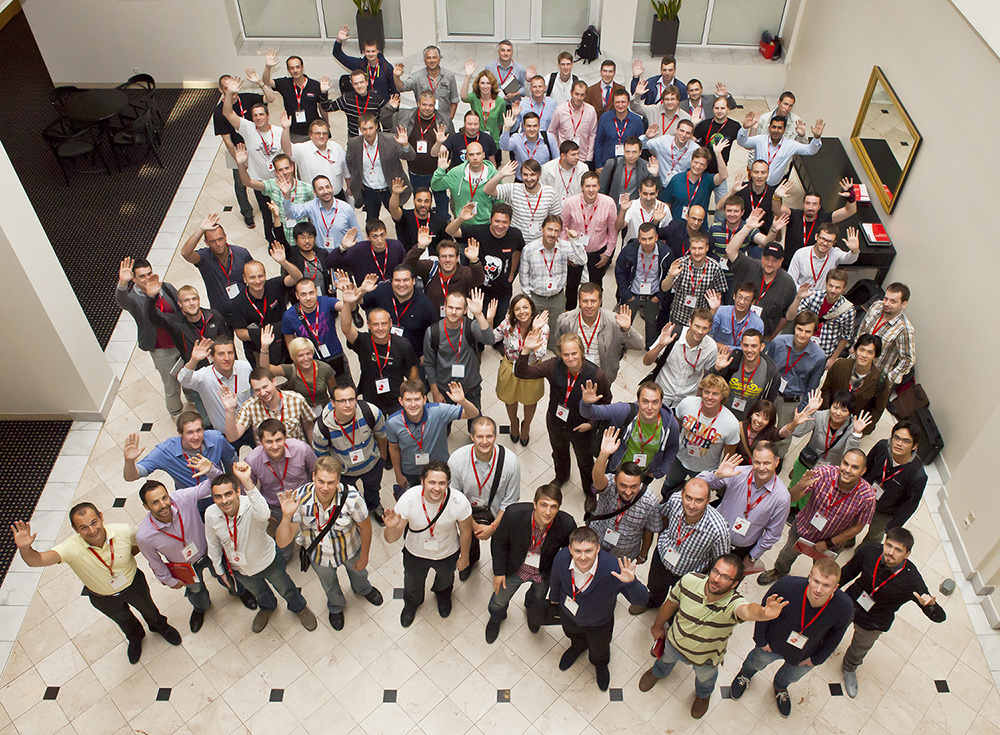
Zabbix Conference 2013
As my first experience speaking at a Zabbix Summit, I have taken a presentation with my work on Perobbix.
The historical link for the conference.
https://www.zabbix.com/events/conference2013
And the Youtube video: